

Azure
Building an AI-Ready Azure Environment During Cloud Migration
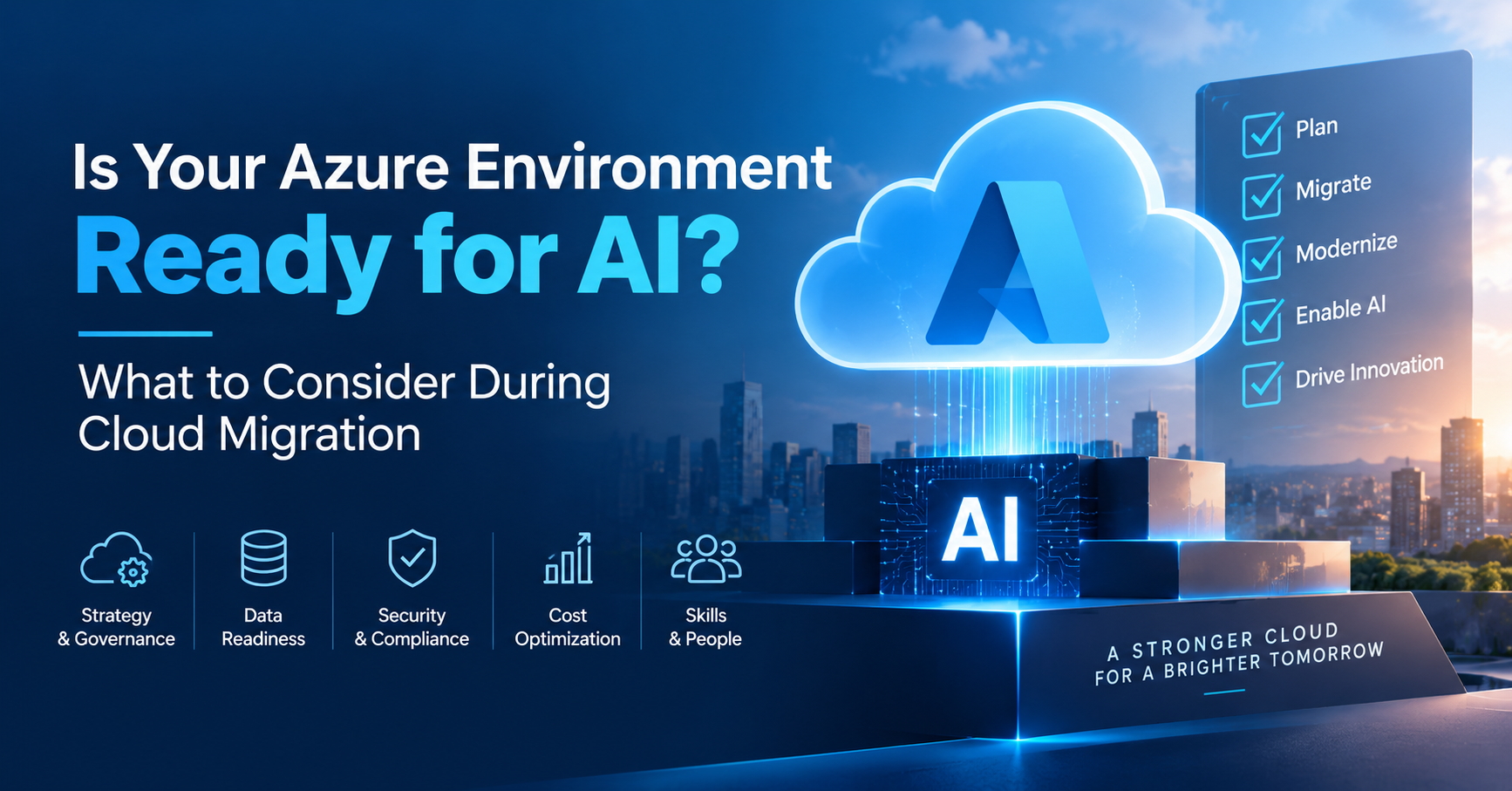
Cloud migration used to be primarily an infrastructure decision. Enterprises moved applications, databases, and workloads to the cloud to improve flexibility, reduce dependence on physical data centers, and support changing business requirements.
AI is changing that conversation.
Organizations planning an Azure migration today need to consider not only where their existing workloads will run but also whether the new cloud environment can support future AI initiatives.
Generative AI, AI agents, machine learning, real-time analytics, and intelligent applications place different demands on data architecture, security, governance, networking, and compute resources. An Azure environment designed only to reproduce an existing on-premises architecture may create another round of architectural changes when AI projects move from experimentation into production.
That makes AI readiness an important part of an Azure cloud migration strategy.
Whether an organization is considering on-premise to Azure migration, AWS to Azure migration, application migration, or data platform changes, AI requirements should become part of the assessment before workloads start moving.
Cloud migration used to be primarily an infrastructure decision. Enterprises moved applications, databases, and workloads to the cloud to improve flexibility, reduce dependence on physical data centers, and support changing business requirements.
AI is changing that conversation.
Organizations planning an Azure migration today need to consider not only where their existing workloads will run but also whether the new cloud environment can support future AI initiatives.
Generative AI, AI agents, machine learning, real-time analytics, and intelligent applications place different demands on data architecture, security, governance, networking, and compute resources. An Azure environment designed only to reproduce an existing on-premises architecture may create another round of architectural changes when AI projects move from experimentation into production.
That makes AI readiness an important part of an Azure cloud migration strategy.
Whether an organization is considering on-premise to Azure migration, AWS to Azure migration, application migration, or data platform changes, AI requirements should become part of the assessment before workloads start moving.
Why AI Readiness Should Be Part of Azure Migration Planning
A traditional migration assessment typically looks at applications, infrastructure dependencies, databases, network requirements, security controls, compliance, cost, and business continuity.
Those areas remain important. But an AI-ready environment requires additional questions.
Where will enterprise AI get its data?
Can applications securely interact with AI models?
How will access to sensitive data be controlled?
Can the architecture support GPUs or other AI compute requirements?
How will AI applications be monitored?
Can data be made available to AI systems without creating uncontrolled copies?
How will the organization govern AI agents that interact with enterprise applications?
These decisions become considerably harder to address after hundreds of workloads have already been migrated.
Organizations evaluating Azure migration services should therefore consider AI readiness alongside infrastructure readiness.
The objective isn't to turn every migrated application into an AI application. It is to create an Azure foundation that doesn't restrict future AI initiatives.
1. Start with an AI-Aware Azure Migration Assessment
Before migrating workloads, enterprises need visibility into what they currently operate.
An Azure migration assessment should identify servers, applications, databases, dependencies, network requirements, data sources, security requirements, and workload utilization.
For AI readiness, expand that assessment.
Identify which systems contain data that could eventually support AI use cases.
For example:
- Customer and CRM data
- Product information
- Operational databases
- Documents and knowledge repositories
- Application logs
- Manufacturing or IoT data
- Customer support records
- Transaction data
- Analytics platforms
You don't need an AI use case for every dataset.
The goal is to understand where valuable enterprise data resides and whether the proposed Azure architecture will make that information accessible under appropriate governance controls.
Organizations working with an Azure migration consulting team should make AI and data readiness part of discovery rather than treating AI as a separate initiative after migration.
2. Build the Right Azure Foundation
Moving workloads to Azure without establishing an appropriate cloud foundation can create security, governance, and operational problems later.
An enterprise Azure environment should define areas such as identity, networking, subscriptions, resource organization, policies, monitoring, security, and governance before large migration waves begin.
This foundation becomes even more important when AI workloads enter the environment.
AI applications may interact with multiple services simultaneously:
Enterprise Data → AI Model → Application → APIs → Business Systems
An AI agent may go further by retrieving information and performing approved actions through connected enterprise tools.
Organizations therefore need clear boundaries around identities, resources, networks, environments, and data access.
A well-planned foundation allows future AI services to operate within established enterprise controls instead of creating isolated AI environments whenever a new use case appears.
This is one reason selecting an experienced Azure migration partner should involve more than asking whether they can move virtual machines. Architecture decisions made during migration can influence what the organization can build afterward.
3. Make Data Architecture a Migration Priority
AI depends heavily on data.
Organizations may have information distributed across SQL databases, data warehouses, file systems, SaaS platforms, ERP systems, CRM platforms, cloud storage, and legacy applications.
Simply moving those systems to Azure doesn't automatically make the organization AI-ready.
A broader data architecture needs to answer several questions:
Where will analytical and AI-ready data reside?
How will data move between operational and analytical systems?
How will quality be monitored?
Who owns particular datasets?
Which applications and AI systems can access them?
How will sensitive information be protected?
This becomes particularly important during database migration to Azure and Azure data migration services projects.
Instead of viewing database migration only as a change in hosting location, evaluate how the data will contribute to analytics and AI requirements.
For example, a SQL Server migration to Azure may involve deciding whether an existing database should simply move to an Azure environment or whether parts of the surrounding data architecture should also be reconsidered.
Making those decisions during migration can prevent unnecessary data movement later.
4. Don't Automatically Rehost Every Application
One of the easiest migration approaches is rehosting: moving an application to Azure with minimal architectural changes.
That can be appropriate for some workloads.
But applications expected to participate in future AI workflows deserve closer examination.
During application migration to Azure, classify workloads based on their long-term role.
Some applications may simply need to run reliably in Azure.
Others may eventually need to:
- Call AI models through APIs
- Retrieve information from enterprise data
- Support semantic or vector search
- Integrate with AI agents
- Process unstructured information
- Provide real-time data to intelligent applications
For these systems, rehosting may only postpone necessary architecture work.
A legacy application migration to Azure is particularly useful as a decision point. Instead of recreating the same dependencies in Azure, determine whether selected components should be replatformed or refactored.
Migration and modernization don't have to happen simultaneously for every application. But the migration roadmap should identify which workloads are candidates for later AI-related changes.
5. Prepare Identity and Access for AI Agents
Identity becomes more complex when AI systems begin taking actions.
Traditional applications usually operate around predictable user and service identities.
AI agents introduce another consideration: software that may reason across information, invoke tools, communicate with APIs, and initiate approved workflows.
Organizations therefore need to establish strong identity principles before deploying agentic AI.
During Microsoft Azure migration services planning, review:
- User identity architecture
- Service identities
- Managed identities
- Role-based access controls
- Privileged access
- API permissions
- Secrets management
- Authentication between applications
The principle of least privilege becomes especially important.
An AI agent shouldn't receive broad access simply because it needs to perform one business task.
The migration phase provides an opportunity to remove outdated permissions and establish clearer access boundaries before AI adds another layer of interaction.
6. Evaluate Networking and Connectivity
AI services rarely operate independently.
They may need secure connections to databases, APIs, applications, storage, analytics platforms, or systems that remain outside Azure.
This is particularly important for hybrid and multicloud organizations.
An AWS to Azure migration or GCP to Azure migration, for example, may not mean that every workload immediately leaves the other cloud.
Some applications may remain distributed across environments.
The organization therefore needs to understand:
- Which systems communicate with each other
- Latency requirements
- Private connectivity requirements
- Data transfer patterns
- Network segmentation
- API connectivity
- Hybrid dependencies
AI can increase the number of interactions between applications and data sources. Poorly planned connectivity can consequently become a performance, security, or cost problem.
7. Plan Compute Around Actual AI Requirements
AI workloads can have very different infrastructure requirements from conventional enterprise applications.
Some organizations will primarily consume managed AI services through APIs. Others may run machine learning training, inference, data engineering, or specialized AI workloads requiring significantly different compute resources.
Migration planning should identify likely scenarios rather than immediately provisioning expensive AI infrastructure.
Consider:
- Expected AI use cases
- Model size
- Training versus inference
- Data processing requirements
- Concurrency
- Geographic requirements
- Availability
- Cost controls
An effective Azure workload migration plan should distinguish ordinary application workloads from data- and AI-intensive workloads.
That allows cloud teams to design capacity and governance according to actual requirements.
8. Include AI in Security and Governance Planning
AI readiness isn't only about compute and data.
It is equally about governance.
AI applications may interact with sensitive corporate data, intellectual property, customer information, employee records, or regulated information.
Before production deployment, organizations need policies covering data access, model usage, monitoring, auditability, and responsible AI.
During migration, determine how existing security controls translate into Azure and where additional controls may be required for AI.
Consider:
- Data classification
- Encryption
- Access policies
- Network controls
- Logging
- Monitoring
- Regulatory requirements
- AI application permissions
- Human oversight
Building these controls into the cloud foundation is easier than trying to retrofit governance after dozens of AI experiments have already been created.
9. Treat VMware Migration as an Architecture Decision
Many organizations considering VMware to Azure migration initially focus on infrastructure continuity.
That may be appropriate for workloads that simply need a new hosting environment.
However, AI readiness creates another question:
Which VMware-hosted applications should remain largely unchanged, and which should eventually become cloud-native or AI-enabled?
Classifying applications during migration helps prevent a scenario where every VMware workload is reproduced in Azure and then requires another expensive modernization project shortly afterward.
Some systems may remain infrastructure workloads. Others may become candidates for application, data, or AI modernization.
The important point is making that distinction intentionally.
10. Build AI Readiness into the Migration Roadmap
An enterprise migration normally happens in waves.
Use those waves to progressively establish an AI-ready architecture.
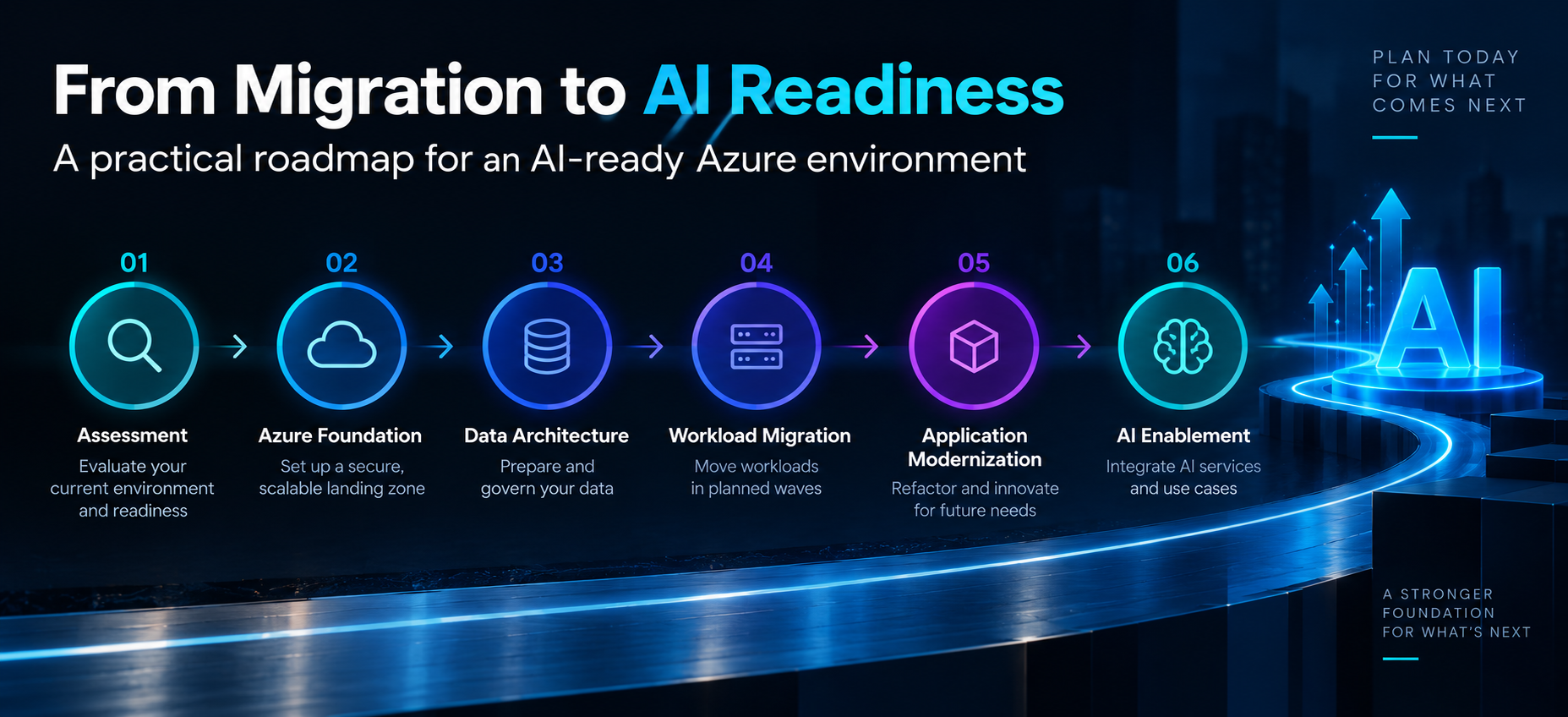
A practical sequence might look like:
Assessment → Azure Foundation → Data Architecture → Workload Migration → Application Modernization → AI Enablement
This doesn't mean delaying cloud migration until the organization's entire AI strategy has been finalized.
Instead, migration teams should avoid decisions that unnecessarily limit future AI adoption.
For organizations using Azure Migrate consulting or external migration expertise, architecture discussions should include what the Azure environment needs to support over the next several years—not simply what is required to move today's infrastructure.
Choosing the Right Azure Migration Approach for an AI-Ready Future
The right migration strategy will vary by workload.
Some applications should be rehosted.
Some should be replatformed.
Others may need deeper modernization.
Databases may require a different migration path from applications, while AI-ready data platforms may require architectural changes beyond traditional infrastructure migration.
This is where Azure cloud migration services should provide more than workload transfer.
A migration program should help the organization determine:
What should move?
What should change?
What should remain?
What should be prepared for future AI use?
An Azure migration company or consulting partner should therefore be evaluated on its ability to understand cloud architecture, applications, data, security, governance, and emerging AI requirements—not simply its ability to execute migration tooling.

From Cloud Migration to AI Readiness
Cloud migration and AI adoption shouldn't be treated as unrelated technology programs.
The architecture decisions made during migration influence how easily an organization can introduce AI later.
An environment with fragmented data, inconsistent identity controls, poorly understood application dependencies, and limited governance can make enterprise AI significantly harder to operationalize.
An AI-aware migration strategy creates a different starting point.
It establishes a governed cloud foundation, identifies important data, classifies applications, improves identity and security controls, and prepares the organization for future AI workloads without requiring every application to become AI-enabled immediately.
For enterprises planning an Azure migration today, the question isn't simply:
"Are we ready to move to Azure?"
It is also:
"Will the Azure environment we're building today be ready for what we want AI to do tomorrow?"
